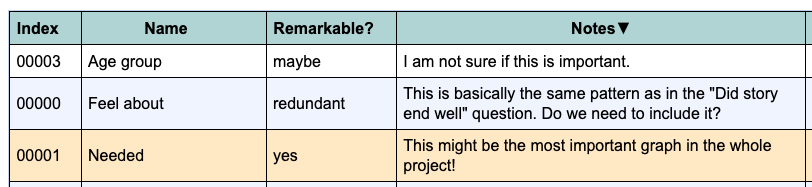
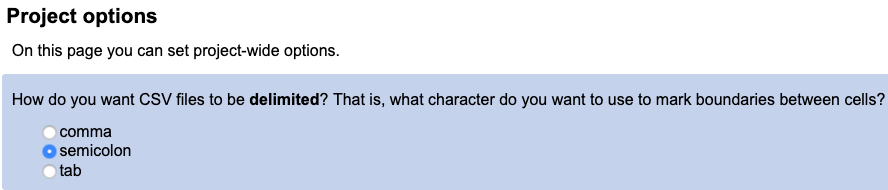
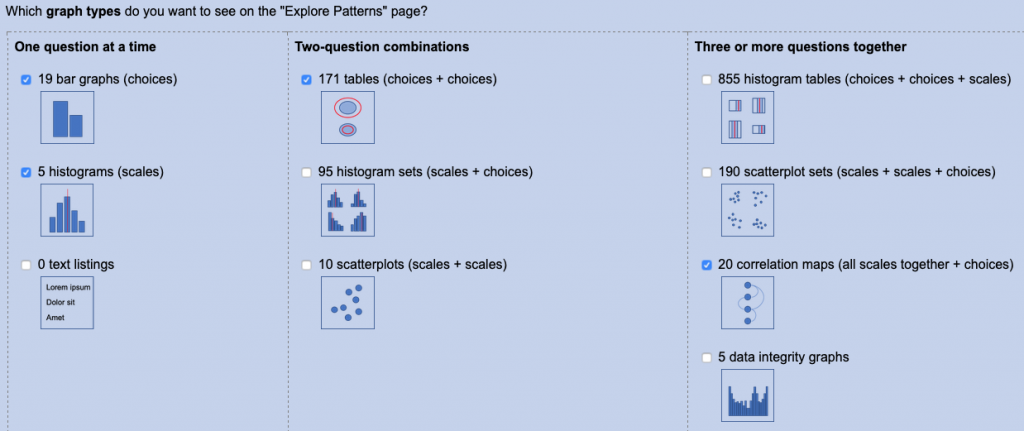
This major release adds many improvements to NarraFirma’s capability and usability. Changes in this release are as follows.
Survey improvements
Write-in answer fields
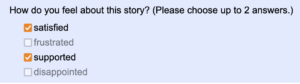
You can now specify a write-in text box to appear after every type of survey question. Using this option you can create an “other” write-in answer after a list of fixed answers, like this.
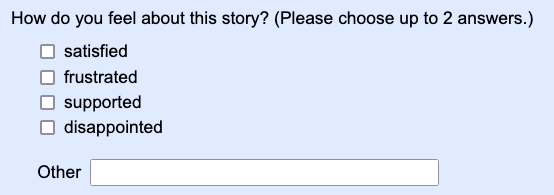
You can also use the write-in option to add a follow-up question, like this.
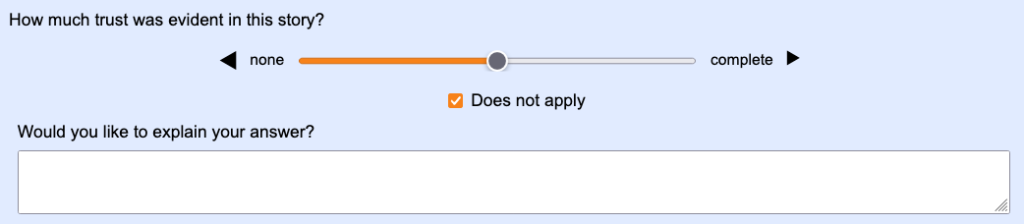
Follow-up questions are particularly useful in pilot projects, where you want to find out whether your questions are clear.
Texts entered into write-in fields appear during catalysis in the same way as text questions.
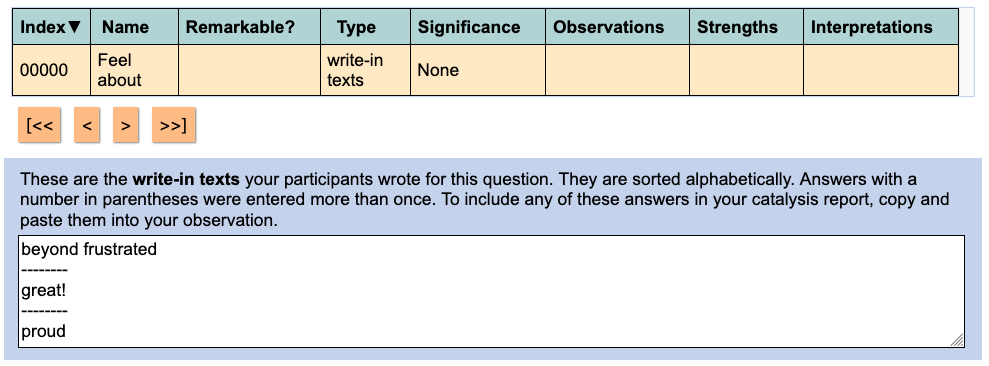
You can also see — and change — write-in answers on the “Review incoming stories” page.
Story collection date
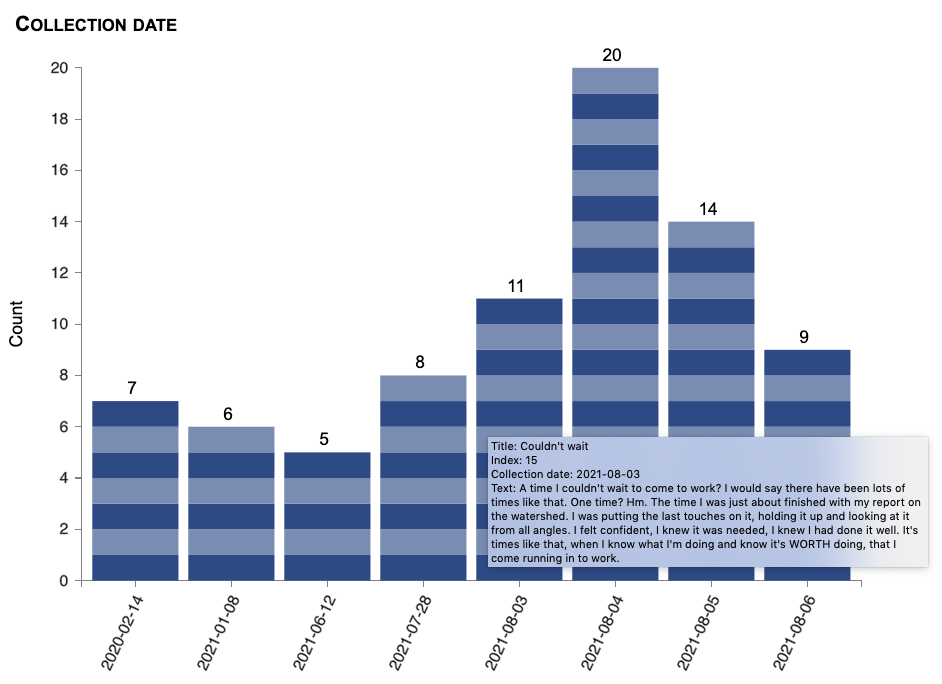
The date on which each story was collected is now automatically added during survey collection. You can also import story collection dates in your CSV file. Based on this, a new generated question, “Collection date,” is available for graphing and statistics. You can group dates by day, month, or year. (To lump dates by week or by any other grouping, use the new display-lumping facility; see below.)
Multiple survey languages
You can now translate your survey into multiple languages. Users will see a list of languages at the top of the survey, and they can choose any language they want to read the survey in.
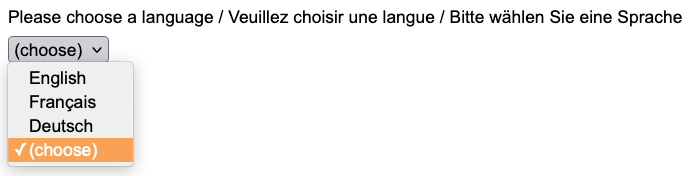
You can enter translations for each text in your story form using NarraFirma, like this:
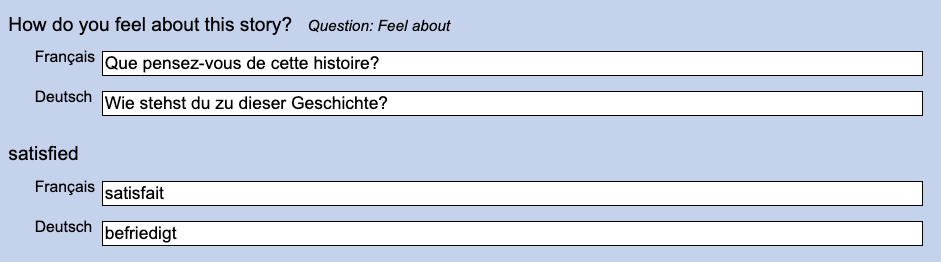
Alternatively, you can import a CSV translations file.
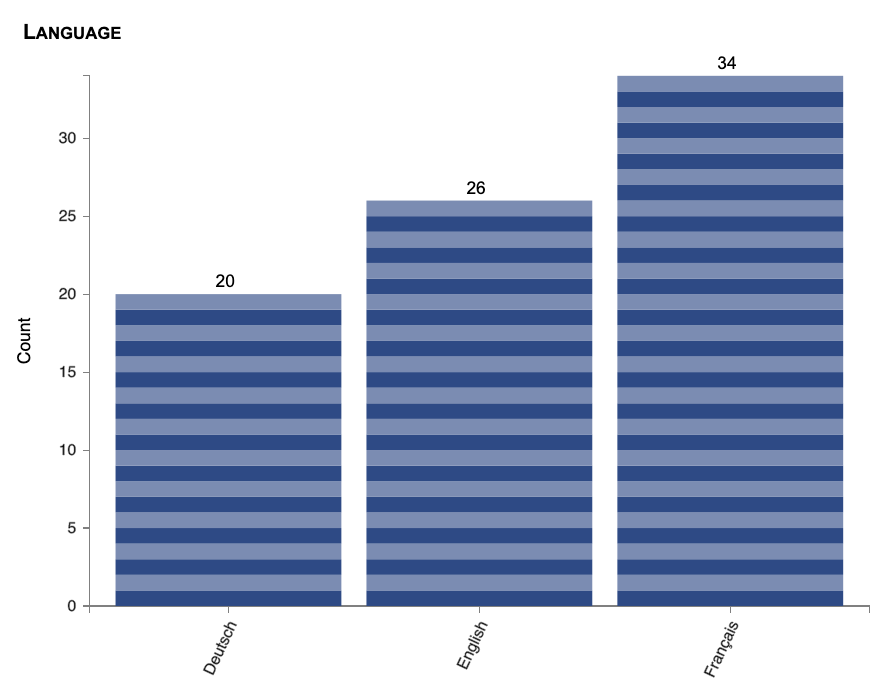
The language chosen by each participant is stored in a Language question you can graph and use in statistical tests.
Introductory video
You can now specify an introductory video to be shown at the start of your survey, and you can specify introductory texts to be shown before and after the video.
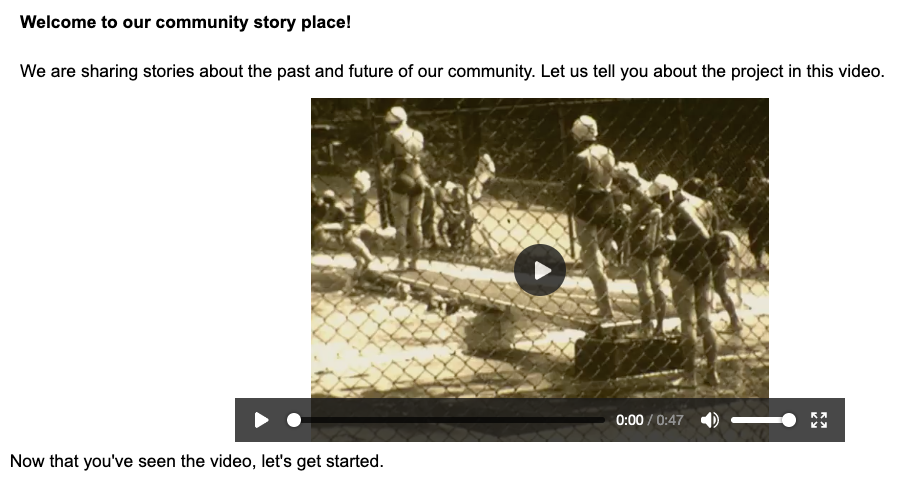
Image choice answers
You can now specify links to choice images to display under the texts of choices. This applies to questions of the types “radiobuttons” and “checkboxes.”
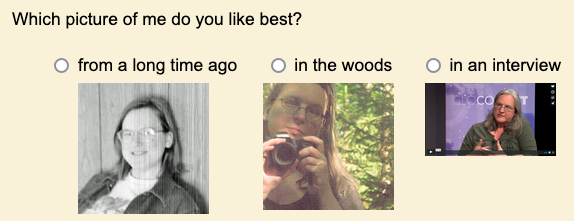
(Please excuse my testing images; these were just some URLs I had handy…)
Smaller survey improvements
These are some smaller improvements to the surveying capability of NarraFirma:
- For “select” questions, you can now show a full list box instead of a drop-down list.
- For “text” questions, you can now specify the width of the text box (in percentage units).
- You can now say what a drop-down list that has no current selection should say. Formerly it was hard-coded to “– select –“.
- You can now set your own texts for the yes and no options in boolean questions.
Catalysis improvements
Display lumping
Lumping together choice answers is one of the most annoying parts of doing catalysis. (If “catalysis” is a strange word to you: it’s just analysis but without the authoritative conclusions.) In every survey, some of the answers in your fixed lists will be chosen less often than you thought they would be. This is very important in projects with fewer stories, since all of the statistical tests in NarraFirma have minimal data counts on which they will work. The chi-squared test, for example, which looks for significant differences between cell counts in contingency tables, will not run if any of the cell counts are less than five. Hence, lumping together similar answers to create large-enough groups of stories to compare is a requirement in many projects.
In the past, the only way to lump answers together was to export your project data to a CSV file, specify a lumping protocol in your story-form CSV file, and re-import the data. That worked, but it was tedious, and sometimes you had to re-import your data several times before you got the lumping right.
I was upset about this messy solution for a long time. Then, one day, I realized that all of the graphs and statistical tests in NarraFirma ran their data through a single bottleneck where the data was collected from each story and passed on to the testing and graphing functions. I realized that if I was to insert a data lumping manipulation into that bottleneck code, I could lump the data on its way to being used in graphs and tests — without lumping it in its stored form. I tried it; it worked; it’s wonderful.
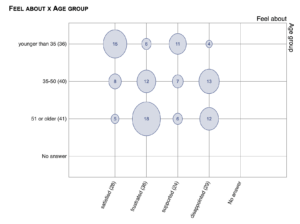
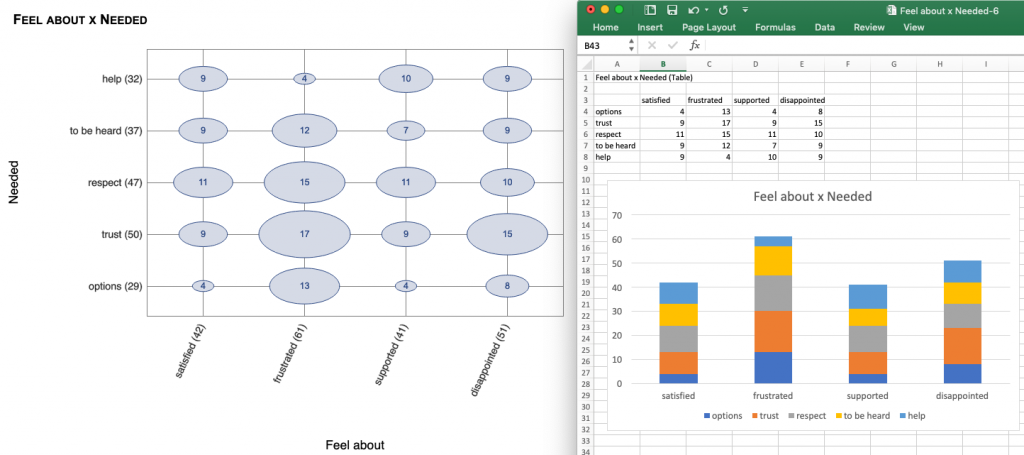
Display lumping works pretty much like story filtering. You specify your lumping commands on the “Configure catalysis report” page, and your graphs — all of your graphs, and your statistical tests — display the data as specified. For example, this lumping command:

Produces this graph:
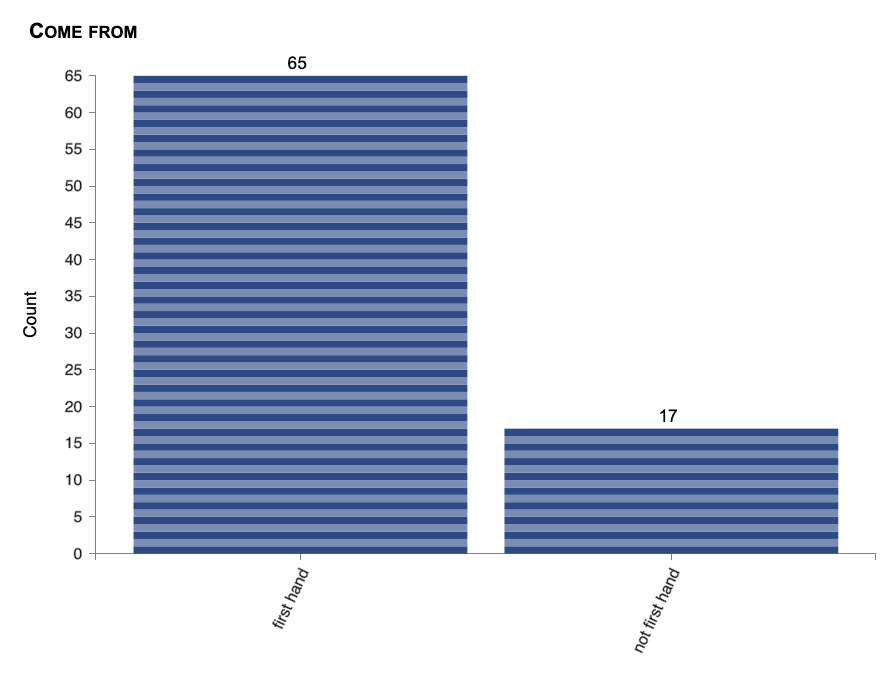
You can turn off display lumping on particular graphs (as you can turn off “No answer” answers), in case you want to show people what the answer counts look like with and without lumping.
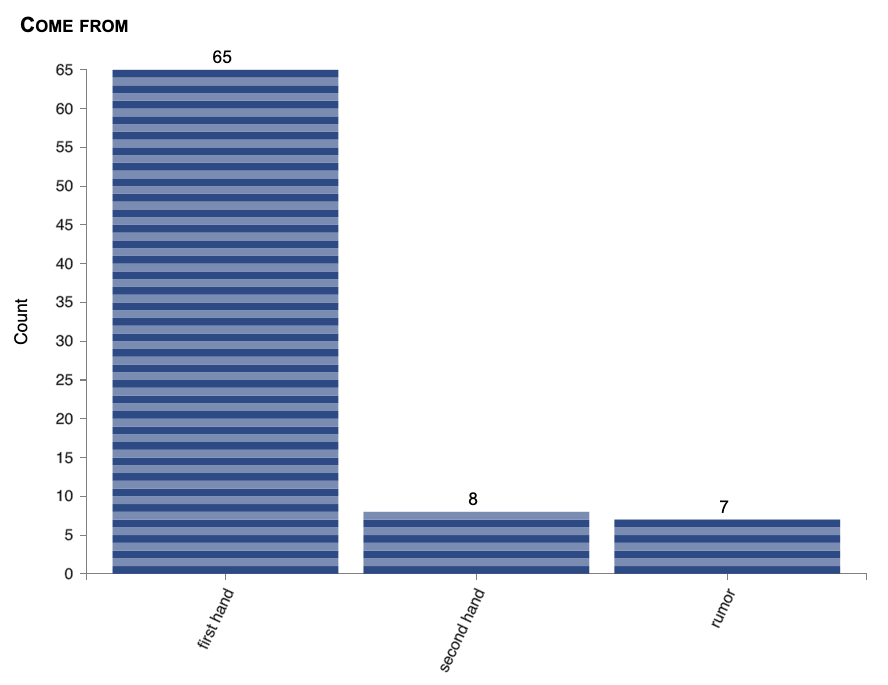
NOTE: Do you see the bug in these two pictures? 8 and 7 don’t make 17. I didn’t notice it for months. I fixed the bug in version 1.5.4. See that blog post for details.
Improved annotation
I have long been disappointed with the qualitative analysis aspects of NarraFirma. We threw in the annotation facility at the last minute, when we were almost out of time, and I didn’t like how it worked. I never used it. When I needed to add researcher-answered questions to my data, I used a spreadsheet. In this pulse of work on NarraFirma, I finally decided to improve this aspect of the software.
First, I moved annotation from Collection to Catalysis, where it makes more sense. More importantly, I changed annotation so that NF now works more like most qualitative analysis packages. You can now create annotation questions that have no answers to start with, and you can allow the answers to emerge as you read through your stories.
For example, here I am changing one of the answers for an annotation question. When I click “Confirm” to change the answer “Individual” to “One person,” I am changing it in the question and in all of the stories marked with that answer.
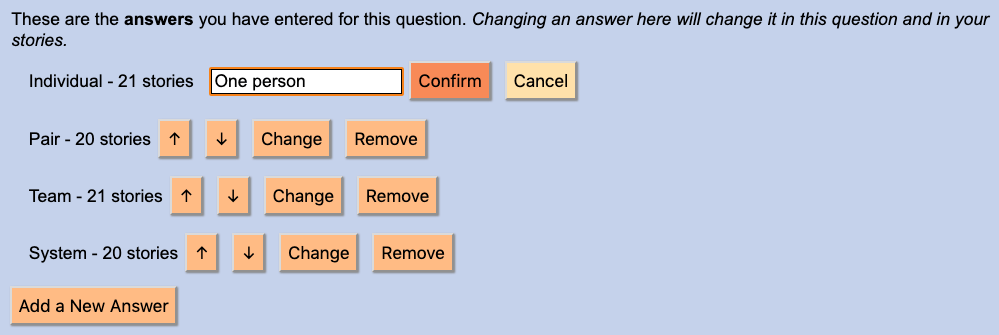
This is important, because way back when we first designed NarraFirma, we made a critical mistake. In the data that makes up each story, answers to choice questions are saved as the actual text of the answer. We should have saved a unique ID for each answer instead. That would have made it easy to rename answers without changing story data. However, we didn’t think of that at the time, and now there is lots of legacy data with answers in place. In a future version of NarraFirma, we may write a converter to transition legacy data to a new UUID-based answer format. But for the time being, this brute-force method of changing answers works. (You may want to back up your data before using it, though.)
I also improved the page on which you annotate stories, thus.
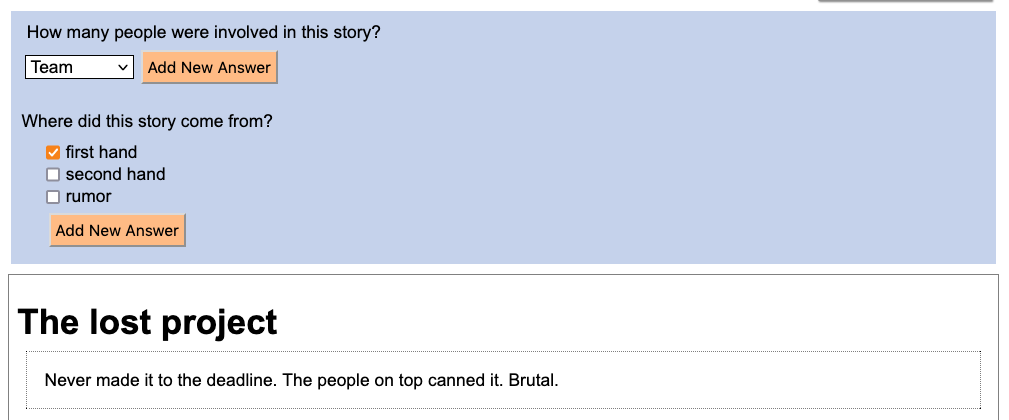
Notice that the annotation questions now appear above the story (and above the answers to other questions). Also, the annotation page now uses a special “mass editing mode” whereby you can move from one story to the next without closing the “item panel” that holds the story. Finally, notice how you can add new answers while you are annotating stories.
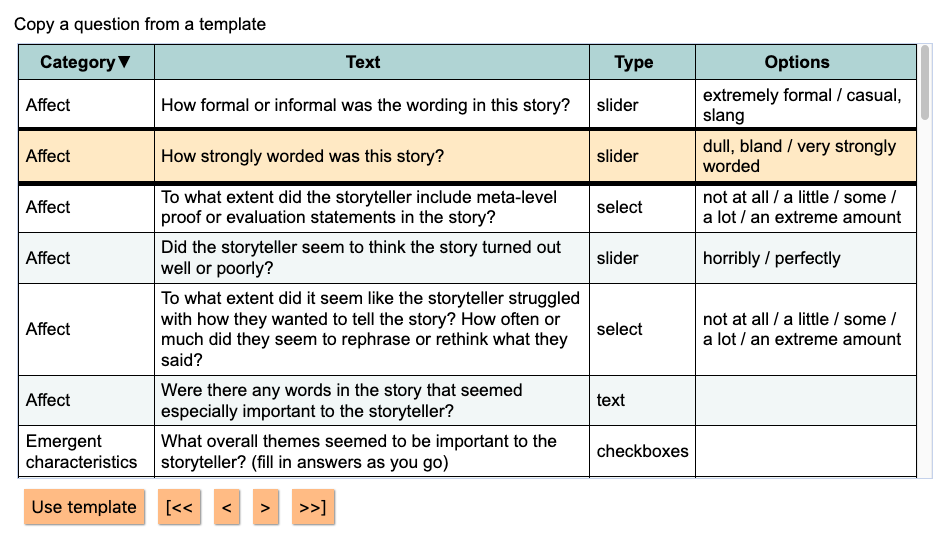
I also added some templates for annotation questions, based on what I’ve learned in projects I’ve worked on.
Usability improvements
I’ve been tidying up pages here and there, especially the pages you use to create questions and story forms. For example:
Advanced and import options are now hidden by default.

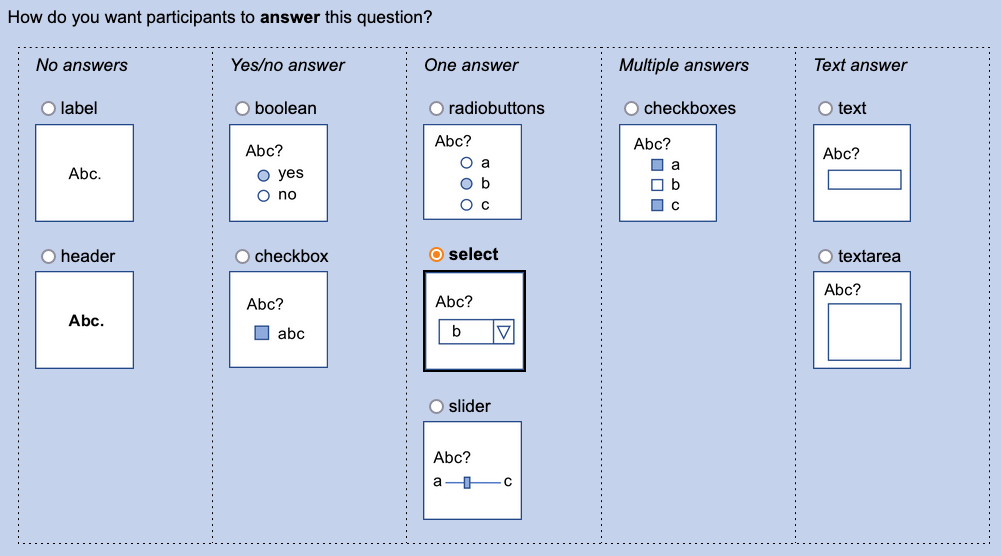
The panel where you choose what kind of question to ask now has little pictures to show you what the questions will look like.
There are no more fields that ask you to think about what kind of question you are answering (“if this is a slider…”). I figured out how to do that myself, so now NarraFirma only shows you fields that apply to the type of question you have chosen.

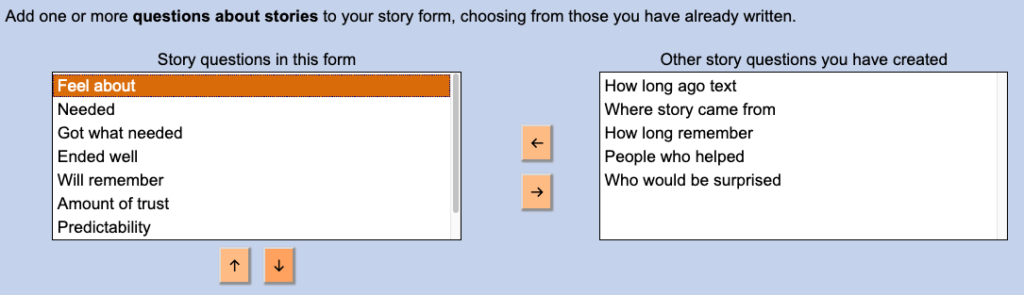
On the story-form page, choosing and rearranging questions uses a new “chooser” type interface.
The story-form page also has a clearer distinction between creating, generating, and importing forms, and it has more headers for different parts of the form (“Starting out,” etc).
You can now set a project nickname, which will display on all within-project pages and printed reports.

Finally, the WordPress startup/options page is better looking than it was.
Bug fixes
This release fixes some bugs: one big one, plus several smaller ones.
Better WordPress project archiving
At some point (I cannot remember which release this was in; it may have been within this release cycle), I added a “Delete” button for WordPress projects. It didn’t hide projects as well as I thought it would. (I never meant it to actually delete projects, but I did mean it to hide them well.)
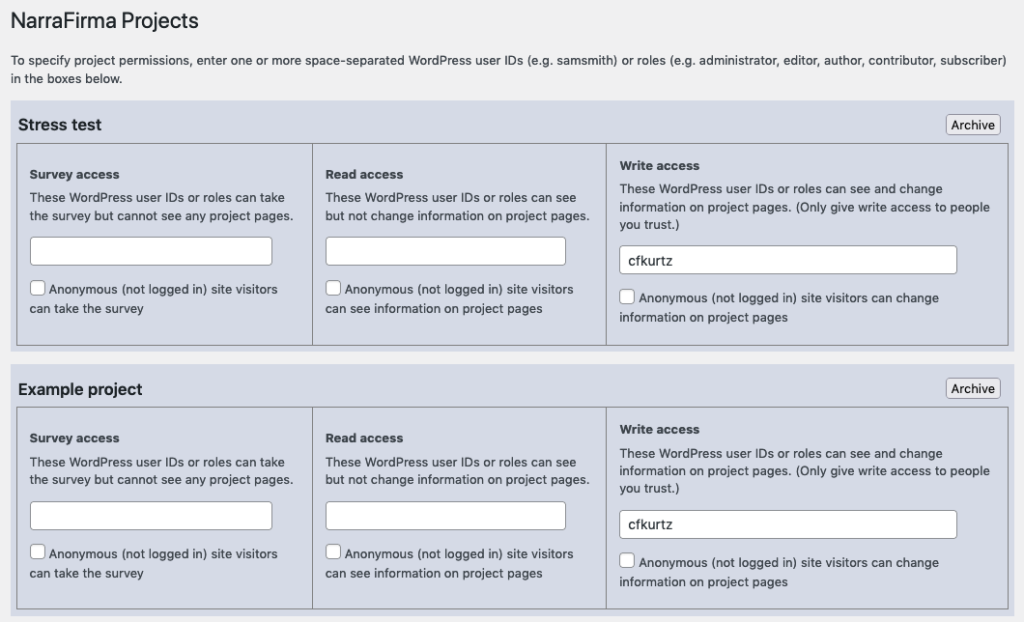
So I went back over the code, fixed the bug, and improved the way it works. Now there is an “Archive” button for each project, which sets an “archived” flag in the project definition. If you check “Edit project permissions directly as JSON,” you can now archive and un-archive projects by changing the value of the “archived” flag. (You can also get back archived projects by creating a new project with exactly the same name.)
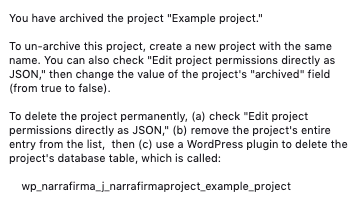
I thought long and hard about whether to have a real Delete button, one that would destroy a NarraFirma project in a second. I decided not to do it. In most NarraFirma use cases, projects don’t take up much space on the server. It is only with massive projects that a space-clearing capability is needed. Preserving project data against accidental deletion is a more important requirement for most NF users.
So, to actually delete a WordPress NarraFirma project, you must (a) archive it, (b) entirely remove its definition from the JSON configuration list of project definitions, then (c) use a WordPress plugin to delete the database table associated with the project. There are several such plugins, and they are easy to install and use. For example, “WP Data Access” shows you all of your tables and allows you to “DROP” (delete) them from the WordPress database.
Having to delete the actual database table outside of NarraFirma makes destroying a project just a little bit harder, which reduces the likelihood that people will do it accidentally. (But it’s still pretty easy.)
Smaller bugs
Here are some smaller bugs I fixed in this release.
- The “custom graph size” parameter (added in version 1.4.2), if left empty, could have caused you to see some empty graphs in your printed catalysis report. That is now fixed.
- No-answer answers (where the respondent did not answer the question) were being graphed as “no” for boolean questions and “false” for checkbox questions. I don’t know how long this has been happening, but it’s fixed now.
- Story filters did not work in combination (using &&) on the “Print story cards” page. Now they do. Thanks to a user for pointing out that mistake. (I literally forgot to do it.) Also, while printing story cards, the “Eliciting question” question was showing up if you checked and then unchecked the box. That is now fixed.
- I fixed the problem on the NarraFirma home page where the “Project administration” and other links could sometimes wrap around to the left side of the screen if you had a lot of information showing on the right. (If you have only two story collections, you would never see this problem, but I often have ten or more test collections, and it was annoying.)
- I finally changed every single “var” variable declaration in the code to either a “const” or a “let” declaration. That should firm things up and reduce the probability of scoping errors.
- Somebody mentioned (thank you!) that our code for the Mann-Whitney U test was missing some bug fixes in the scipy version we translated it from. I fixed that. You might see a small difference in calculated U and p values, but it should have a small impact, and it is more correct this way. (For more information, see the code change.)
- In the WordPress version of NarraFirma, the “Reset” project feature set a backup table name longer than WordPress allows. This could have caused you to see some errors when you reset a project. I changed it so that the backup table name replaces the “j” in the usual table name with a “b” instead of what it had been doing (adding the backup date to the end of the table name, which is okay in Node.js but not in WordPress).
Please send bug reports!
I always test as I code, but it is possible that some small bugs are hidden among these new features. Please tell me if you find any. You can submit bug reports and feature requests via the GitHub issues page.
And if you are using NarraFirma, feel free to reach out and tell me (cfkurtz@cfkurtz.com) what you have been doing with it and what you would like to see happen next.